If I understand correctly you are getting random popups in chrome.
This happens often because we’ll get a pop up that says something like ‘Prove your human by clicking here’, or when we instinctively pressed yes on a notification request. The last time it happened to Larry he renewed his antivirus, but that’s overkill here because it’s not a virus, just a notification and it’s a quick fix, usually just the 1 step.
In the chrome address bar type or paste:
chrome://settings/content/notifications
Scroll down to the ‘Allowed to send notifications’ section and for any sites that look shady block notifications by clicking on the ellipsis and selecting remove.
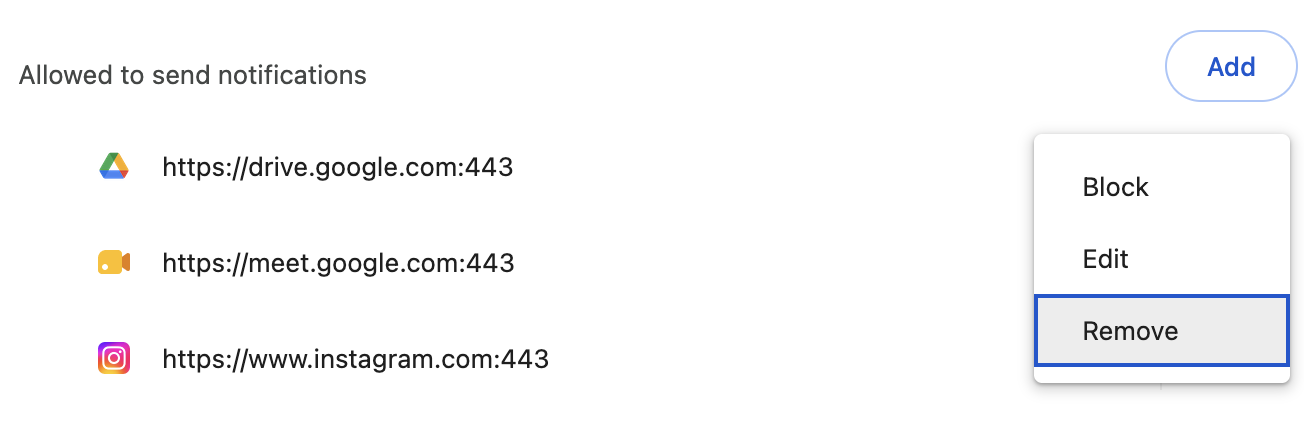
That will fix the issue almost every time. But, if you didn’t see anything shady you should check 2 more things.
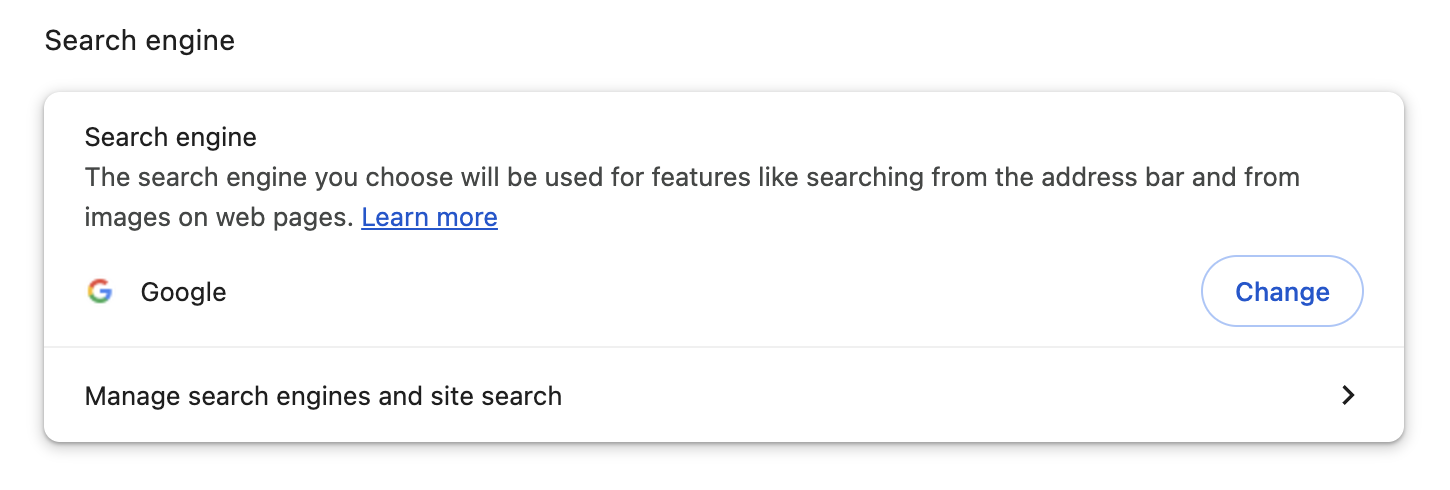
In the chrome browser again enter or paste:
chrome://settings/search
They should look familiar, google related and clean, change anything that doesn’t.
chrome://settings/onStartup
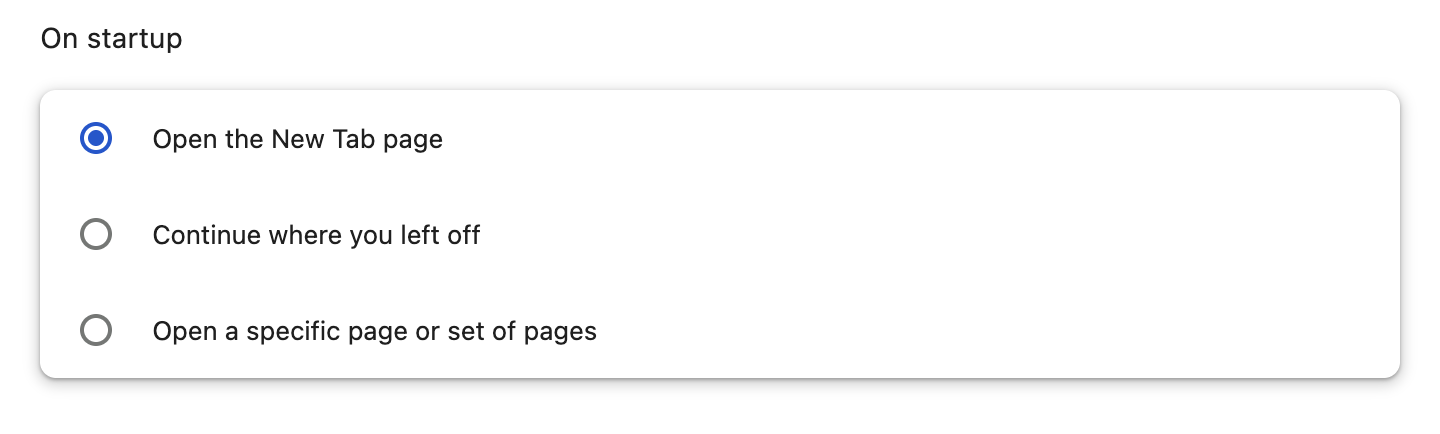
In the rare case these steps did not work one of two things is happening:
1) You missed something, try again
2) It isn’t a Google Chrome issue.
If all else fails, the nuclear option is always available:
Enter or paste this into the address bar:
chrome://settings/reset
And it’s brand new.